How to Spy on Your Competitor's Tech Stack (Legally)
Learn how to legally analyze your competitor's website technology stack using source code inspection. Discover their CMS, frameworks, analytics, CDN, and SEO tools — and use that intelligence to outperform them.
Why Analyzing Your Competitor's Tech Stack Is a Growth Strategy
In 2026, understanding what technologies your competitors use is no longer optional — it's a core business strategy. Every decision a competitor makes about their website stack — from their CMS and frontend framework to their CDN and analytics platform — reveals their priorities, budget, and growth trajectory.
When a competitor migrates from WordPress to a headless CMS like Contentful with a Next.js frontend, they are signaling a massive investment in page speed, developer experience, and multi-channel content delivery. When you see them load Hotjar and Optimizely scripts, you know they've entered a conversion optimization phase. These insights are invisible to most marketers — but not to you.
The best part? Everything you need is publicly available in their source code. Tools like ViewPageSource make it possible to inspect any website's HTML, CSS, and JavaScript in seconds — no login, no browser extension, no cost.
This guide covers every practical method for legal competitor technology analysis, including step-by-step walkthroughs, real-world examples, a comparison of the top tech detection tools, and an actionable framework for turning intelligence into competitive advantage.

What a Competitor's Tech Stack Reveals About Their Business
Viewing a competitor's source code isn't just about listing technologies. Each tool they use tells a story about their strategy, budget, and weaknesses.
Growth Stage and Engineering Budget
The technology choices reveal maturity and investment level:
| Tech Signal | What It Tells You |
|---|---|
| Squarespace, Wix, Weebly | Early-stage startup or small business. Limited engineering budget. |
| WordPress + shared hosting | Content-focused, budget-conscious. May have performance vulnerabilities. |
| Shopify, BigCommerce | E-commerce focused. Prioritizing conversion over customization. |
| React/Next.js + Vercel/AWS | Well-funded, engineering-led. Investing in performance and scalability. |
| Custom stack + Kubernetes | Enterprise-level. Large dedicated dev team. Significant infrastructure spend. |
Marketing and Acquisition Channels
Embedded scripts reveal exactly which channels a competitor bets on for growth:
- Facebook Pixel + TikTok Pixel + LinkedIn Insight Tag: Multi-channel paid advertising strategy targeting B2C and B2B audiences.
- Google Analytics 4 + Google Tag Manager: Standard tracking stack. Look at their custom events for insights into what metrics they prioritize.
- Hotjar or Microsoft Clarity: They are recording user sessions and studying heatmaps — a classic sign of conversion rate optimization (CRO) efforts.
- HubSpot, Marketo, or Klaviyo: Sophisticated email marketing and lead nurturing funnels. They are investing in lifecycle marketing.
- Intercom, Drift, or Zendesk: Live chat and customer support investment. They value real-time engagement.
- Optimizely, VWO, or Google Optimize: Active A/B testing. They are scientifically optimizing their funnel.
SEO and Content Strategy Signals
Technical SEO choices expose how seriously a competitor treats organic search:
- Schema.org structured data (JSON-LD): They are targeting rich snippets in search results — FAQ, HowTo, Product, Article schemas.
- Open Graph and Twitter Card meta tags: They've optimized for social sharing and link previews.
- Canonical tags and hreflang: Sophisticated duplicate content management and internationalization.
- Server-Side Rendering (SSR) or Static Site Generation (SSG): SEO-friendly rendering. If they use Next.js with SSR while you use client-side-only React, Google indexes their content far more efficiently.
- Preconnect, preload, and prefetch hints: Advanced performance optimization in the
<head>.
Step-by-Step: How to Analyze a Competitor's Tech Stack
Method 1: Use ViewPageSource (Fastest)
The most efficient way to inspect any website's technology is with ViewPageSource.
- Go to ViewPageSource.online.
- Paste your competitor's URL into the search bar.
- Click View Source — the tool fetches the page and separates the code into HTML, CSS, and JavaScript tabs.
- Search the HTML tab for CMS indicators (
generatormeta tags, script paths like/wp-content/orcdn.shopify.com). - Check the JavaScript tab for analytics and tracking scripts (look for
gtag,fbq,hj,analytics). - Review linked stylesheets for framework indicators (Tailwind CSS, Bootstrap, Material UI class names).
Ready to optimize your site?
ViewPageSource shows you the complete source code of any website — with separated tabs for HTML, CSS, and JavaScript. No signup required.
Method 2: Browser View Source (Manual)
For a hands-on approach, use your browser's built-in source inspector.
On Desktop:
- Chrome/Edge: Press Ctrl+U (Windows) or Cmd+Option+U (Mac).
- Firefox: Press Ctrl+U or right-click → "View Page Source."
- Safari: Enable Developer menu in Preferences → Develop → Show Page Source.
What to look for:
<meta name="generator">— Reveals the CMS (e.g.,WordPress 6.5,Shopify).<script src="...">— Script paths reveal frameworks and analytics. Paths containing_next/mean Next.js. Paths withcdn.shopify.comconfirm Shopify.- CSS class names — Classes like
wp-block-,shopify-section,chakra-, orMuiButtonidentify the design system. <link rel="stylesheet">— Linked CSS files reveal UI frameworks (Bootstrap, Tailwind, Bulma).<!-- comments -->— Developers often leave comments that reveal build tools, template names, or version numbers.
Method 3: HTTP Header Inspection
HTTP response headers reveal server-side technology that isn't visible in the HTML source.
Open your browser's DevTools (F12 → Network tab → click the main document → Headers), or use curl:
curl -I https://competitor.comKey headers to check:
Server: Reveals the web server (Nginx, Apache, Cloudflare, Vercel).X-Powered-By: Sometimes shows the backend language (Express, PHP, ASP.NET).X-CacheorCF-Cache-Status: Indicates CDN caching (Cloudflare, Fastly, AWS CloudFront).Content-Security-Policy: A strong CSP signals mature security practices.Strict-Transport-Security: HSTS header shows they enforce HTTPS-only connections.
Method 4: DNS and Infrastructure Analysis
Go deeper by checking their infrastructure:
- DNS lookup (
nslookup competitor.com): Reveals their DNS provider (Cloudflare, AWS Route 53, Google Cloud DNS). - WHOIS lookup: Shows domain registrar, registration date, and sometimes hosting provider.
- SSL Certificate: Check the certificate issuer — Let's Encrypt (budget-conscious), DigiCert/Sectigo (enterprise-grade).
Competitor Tech Detection: Tool Comparison
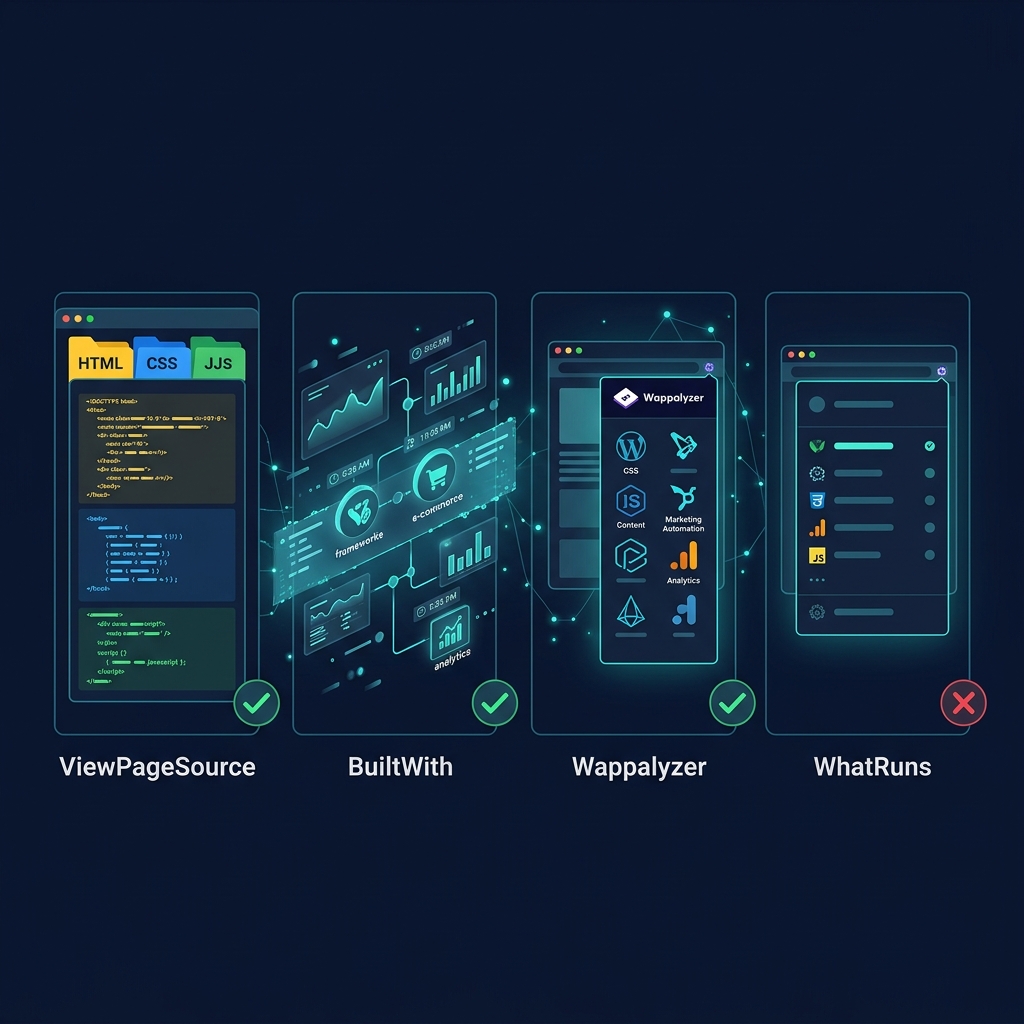
Not all tech detection tools offer the same depth. Here is how the most popular options compare:
| Feature | ViewPageSource | BuiltWith | Wappalyzer | WhatRuns |
|---|---|---|---|---|
| Price | Free | Freemium ($295+/mo) | Free browser extension | Free browser extension |
| Separated HTML/CSS/JS Tabs | ✅ | ❌ | ❌ | ❌ |
| Full Source Code Viewing | ✅ | ❌ | ❌ | ❌ |
| One-Click Copy | ✅ | ❌ | ❌ | ❌ |
| Works on Mobile | ✅ | ✅ (web) | ❌ (extension only) | ❌ (extension only) |
| No Extension Required | ✅ | ✅ | ❌ | ❌ |
| No Account Required | ✅ | ❌ | ✅ | ✅ |
| Technology Detection | Manual (full source) | Automated (200+ techs) | Automated (1000+ techs) | Automated |
| Historical Data | ❌ | ✅ (paid) | ❌ | ❌ |
| Security Header Analysis | Via source inspection | ❌ | ❌ | ❌ |
When to use each:
- ViewPageSource: Best for deep source code inspection, reading raw HTML/CSS/JS, auditing SEO tags, and quick mobile checks.
- BuiltWith: Best for historical technology tracking and bulk competitor profiling (requires paid plan for full features).
- Wappalyzer: Best for quick browser-based detection while actively browsing competitor sites.
- WhatRuns: A lighter alternative to Wappalyzer for basic framework identification.
Real-World Example: Auditing a Competitor's Homepage

Let's walk through a practical audit. Suppose your top competitor is an e-commerce brand ranking above you for your target keywords.
Step 1: Identify the CMS
Paste their URL into ViewPageSource. In the HTML tab, search for generator:
<meta name="generator" content="Shopify" />Finding: They use Shopify. This means their checkout is integrated, they likely use Shopify's CDN, and their template customization is limited compared to a custom build.
Step 2: Detect Frontend Technology
Search the source for framework indicators:
<script src="/_next/static/chunks/main-abc123.js"></script>Finding: The _next/ path confirms they use Next.js as a headless frontend on top of Shopify — a "headless commerce" setup. This is an advanced architecture optimized for speed.
Step 3: Map Their Analytics Stack
Search the JavaScript tab for tracking scripts:
gtag('config', 'G-XXXXXXXXXX');
fbq('init', '123456789');
window.hj=window.hj||function(){(hj.q=hj.q||[]).push(arguments)};Finding: They run Google Analytics 4, Facebook Pixel, and Hotjar. This tells you they're investing in paid social, tracking conversions, and recording user sessions for UX optimization.
Step 4: Check Their SEO Infrastructure
Search for structured data:
<script type="application/ld+json">
{"@type":"Product","name":"...","offers":{"@type":"Offer","price":"29.99"}}
</script>Finding: They have Product schema with pricing — meaning they can show price, availability, and star ratings directly in Google search results. If you're missing this markup, they have a significant CTR advantage.
Step 5: Evaluate Their Performance Hints
Check the <head> for resource hints:
<link rel="preconnect" href="https://fonts.googleapis.com" />
<link rel="preload" as="image" href="/hero-banner.webp" />Finding: They preconnect to Google Fonts and preload their hero image — both reduce LCP (Largest Contentful Paint). If your hero image loads lazily, theirs appears faster in search engine timing tests.
Turning Competitive Intelligence into Action
Gathering data is only valuable if you act on it. Here is a framework for translating findings into measurable improvements:
1. Benchmark Speed Against Competitors
If their stack is objectively faster (modern SSR framework, CDN, image optimization), users and Google will prefer them. Consider: - Migrating to a framework with SSR/SSG support (Next.js, Nuxt, Astro). - Adding a CDN layer (Cloudflare, Fastly). - Compressing images to WebP/AVIF format.
2. Close the Schema Markup Gap
If competitors have structured data and you don't, they get rich snippets in search results (star ratings, FAQ dropdowns, prices). Add Schema.org markup to match or exceed their implementation.
3. Audit and Reduce Third-Party Scripts
If you load more tracking scripts than your competitor, your site is likely slower. Audit every <script> tag:
- Remove scripts you no longer use.
- Defer non-essential scripts with async or defer attributes.
- Consider server-side tracking to reduce client-side JavaScript.
4. Exploit Their Weaknesses
Common weaknesses to look for: - No structured data: You can outperform them in rich results. - Missing security headers: Position your brand as more trustworthy. - Legacy framework (jQuery, old Bootstrap): Your modern stack is a competitive advantage. - No HTTPS or weak SSL: A significant trust and ranking penalty they haven't addressed.
5. Monitor Changes Over Time
A competitor's tech stack evolves. Set a monthly schedule to re-audit their source code. Changes often precede: - Major product launches or rebrands. - New marketing campaigns (new tracking pixels appear). - Performance investments (CDN changes, framework migrations).
Legal and Ethical Considerations
Is It Legal to View a Competitor's Source Code?
Yes. Everything visible through "View Page Source" is publicly transmitted by the server to every visitor's browser. You are simply reading the public instructions that their website sends to the world. This is no different from reading a publicly posted sign.
Courts have consistently held that viewing publicly available HTML source code does not constitute unauthorized access under the Computer Fraud and Abuse Act (CFAA) or similar legislation.
Ethical Best Practices
While it is legal, follow these responsible guidelines:
- Don't scrape aggressively: Avoid automated bots that hit their servers thousands of times per second. This could be construed as a denial-of-service attack.
- Don't bypass authentication: Never attempt to access admin panels, private APIs, or password-protected areas.
- Don't copy code: Viewing source is for intelligence, not theft. Their HTML, CSS, and JavaScript are copyrighted creative works. Learn from their approach, but write your own code.
- Respect robots.txt: While it's technically a suggestion (not a legal requirement), honoring
robots.txtdemonstrates good faith.
Frequently Asked Questions
How do I find out what CMS a website is using?
The fastest way is to use ViewPageSource — paste any URL and search the HTML tab for <meta name="generator">. WordPress sites include content="WordPress 6.x". Shopify sites have cdn.shopify.com in their script paths. You can also look for telltale URL patterns like /wp-content/ (WordPress), /collections/ (Shopify), or /_next/ (Next.js).
Is it legal to view a competitor's source code?
Yes, it is completely legal. Source code viewed through "View Page Source" is public information that the server sends to every browser. You are not bypassing any security measures. However, copying their code for commercial use may violate copyright law — use the intelligence, not the code itself.
What is the best free tool to detect a website's technology stack?
For comprehensive source code inspection with separated HTML, CSS, and JavaScript tabs, ViewPageSource is the best free option — no account or extension required. For automated technology identification, Wappalyzer (free browser extension) detects 1000+ technologies. BuiltWith offers the deepest historical data but requires a paid plan ($295+/mo) for full access.
Can I tell what analytics tools a competitor uses?
Absolutely. Search their source code for script identifiers: gtag or G- (Google Analytics 4), fbq (Facebook Pixel), hj (Hotjar), _hsq (HubSpot), mixpanel (Mixpanel), amplitude (Amplitude), and clarity (Microsoft Clarity). Each script reveals a specific marketing or analytics platform.
How often should I audit a competitor's tech stack?
We recommend a monthly cadence for your top 3–5 competitors. Technology changes often precede major business moves: a new tracking pixel might signal a product launch, a CDN migration might indicate a performance push, and a framework change could mean a complete redesign is imminent.
What is the difference between ViewPageSource, BuiltWith, and Wappalyzer?
ViewPageSource shows you the raw source code with separated HTML, CSS, and JavaScript tabs — ideal for deep manual inspection. BuiltWith provides automated technology detection with historical trends but locks key features behind a paywall. Wappalyzer is a browser extension that auto-detects technologies while you browse, but it doesn't show source code and requires installation. The best approach is to use ViewPageSource for deep dives and Wappalyzer for quick checks while browsing.
Conclusion: Source Code Is the Most Underrated Competitive Intelligence Tool
Most businesses spend thousands on market research, competitive analysis platforms, and industry reports — yet the richest competitive data is sitting right in their browser, completely free. A competitor's source code reveals their CMS, frontend framework, analytics tools, marketing stack, SEO strategy, performance optimizations, and security posture.
The companies that consistently outperform their competitors aren't just writing better content — they're studying the technical infrastructure behind every top-ranking page and making smarter technology decisions as a result.
Stop guessing what your rivals are doing. Start with a free source code analysis on ViewPageSource and see what you've been missing.
Ready to optimize your site?
Ready to uncover your competitor's tech stack? Paste any URL into ViewPageSource and get instant access to their complete source code — HTML, CSS, and JavaScript separated into readable tabs.
About the Creator: Hassan
WordPress Developer | 2 Years Experience
Hassan is the lead developer and visionary behind ViewPageSource. As a Computer Science student and WordPress specialist with 2 years of experience in custom theme and plugin development, he built this tool to bring transparency to the web. Hassan focuses on creating high-performance, developer-centric applications that help others understand and audit the technology stacks behind their favorite websites.
Ready to optimize your site?
Use our professional tools to analyze your source code and technical SEO health in seconds.
Start for Free →