Schema Markup 101: How to Get Rich Snippets in Google
Master JSON-LD and learn how to use Schema Markup to stand out in Google search results with star ratings, FAQs, and product info.
What is Schema Markup?
Schema Markup (or structured data) is a standardized language that helps search engines like Google, Bing, and Yahoo understand the content of your page. While search engines have become incredibly smart, they still benefit from structured code that explicitly tells them, "This is an article," or "This is a product priced at $20."
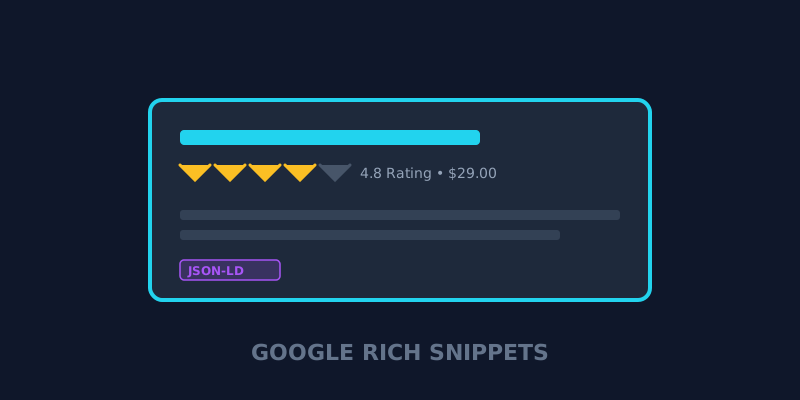
In exchange for providing this data, Google often rewards your site with Rich Snippets—those eye-catching search results that include star ratings, faq dropdowns, and product prices.
1. Why JSON-LD is the Gold Standard
There are three ways to implement schema markup (Microdata, RDFa, and JSON-LD), but Google strongly recommends JSON-LD (JavaScript Object Notation for Linked Data).
Why JSON-LD?
- Separation of Concerns: Unlike Microdata, JSON-LD is consolidated into one block of code, usually in the
<head>or at the bottom of the<body>. It doesn't clutter your actual visible HTML content. - Easy Implementation: It is incredibly easy to generate and paste into your site.
- Bot-Friendly: Google’s crawlers can read JSON-LD effortlessly.
2. Common Schema Types
Depending on your website's content, you can use various schema types. Here are the most popular:
- Article / BlogPosting: Tells Google that your page is an article, which can help it appear in top stories.
- Product: Includes attributes like price, availability, and review ratings.
- FAQPage: Adds a list of questions and answers directly to your search result, occupying more "real estate" on the SERP.
- HowTo: For step-by-step guides, often used for tutorials and recipes.
- LocalBusiness: Essential for brick-and-mortar stores to show their address, phone number, and hours.
3. How to Generate and Validate Your Schema
Step 1: Generate the Code
Writing JSON-LD from scratch is prone to errors. Instead, use a generator to ensure your syntax is perfect. Our Schema Markup Generator lets you generate valid JSON-LD for Articles, FAQs, Products, and more in seconds.
Step 2: Validate
Once you’ve added the code to your site, you must validate it using Google's official Rich Results Test.
Step 3: Monitor in GSC
In Google Search Console, you'll find a dedicated "Enhancements" report that will show you exactly how many of your rich snippets are valid and if there are any errors.
Final Thoughts
Schema markup is one of the most powerful "low-effort, high-reward" strategies in Technical SEO. By taking a few extra minutes to add structured data, you can significantly increase your CTR and topical authority.
Ready to stand out in Google? Generate your Schema Markup here and boost your search visibility today.
About the Creator: Hassan
WordPress Developer | 2 Years Experience
Hassan is the lead developer and visionary behind ViewPageSource. As a Computer Science student and WordPress specialist with 2 years of experience in custom theme and plugin development, he built this tool to bring transparency to the web. Hassan focuses on creating high-performance, developer-centric applications that help others understand and audit the technology stacks behind their favorite websites.
Ready to optimize your site?
Use our professional tools to analyze your source code and technical SEO health in seconds.
Start for Free →