How to Build a Global Brand with Multilingual SEO (Hreflang)
A complete technical guide to using hreflang tags, URL structures, and international SEO to rank your website globally in 2026 without duplicate content penalties.
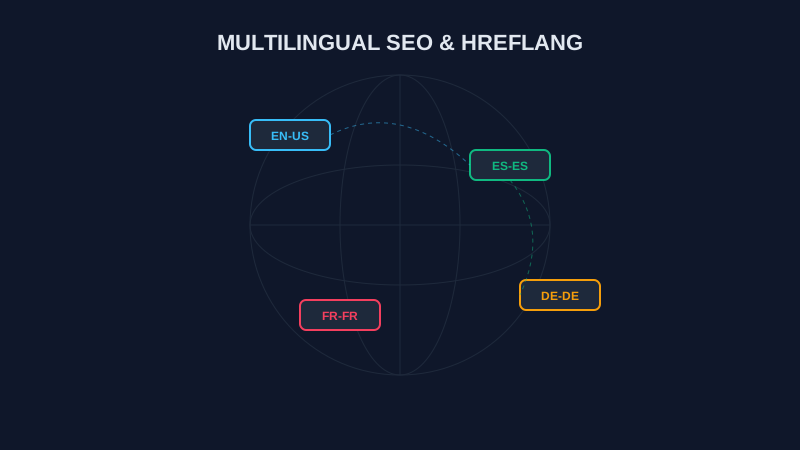
The Global Opportunity: Expanding Beyond English in 2026
Imagine building an international airport where every single direction sign is written strictly in one language. Passengers from Germany, Spain, Japan, or Brazil would get lost, frustrated, and leave for another airport.
That is exactly what happens when you run a single-language website in a globalized world.
In 2026, over 75% of global internet users prefer browsing websites in their native language. While most digital brands fight fiercely for traffic in the English-speaking market, massive growth is happening across Latin America, Europe, Asia, and the Middle East.
However, expanding internationally isn't as simple as translating text with AI. If you create a German or Spanish copy of your homepage, search engines like Google might flag them as duplicate content — or worse, show the wrong language version to the wrong audience (such as showing US Dollar pricing to a user in Tokyo).
To build a true global brand, you must master the single most critical international technical SEO signal: The Hreflang Tag.

What Is Hreflang and How Does It Work? (Explained Simply)
Hreflang is a tiny snippet of code placed in your website's HTML source code or XML sitemap. It acts like a digital signpost for search engine bots (like Googlebot), explaining the relationship between pages written in different languages or targeted at different countries.
The 8th-Grade Analogy: Think of hreflang tags like a diplomatic double-handshake between two country ambassadors. If Ambassador A points to Ambassador B, Ambassador B must also point right back at Ambassador A. If only one points, the agreement is invalid!
The Anatomy of an Hreflang Tag
Here is what a standard hreflang code tag looks like in your HTML <head>:
<link rel="alternate" hreflang="es" href="https://viewpagesource.online/es" />Let's break down each part:
rel="alternate": Tells search engine bots, *"This linked URL is an alternative version of the current page."*hreflang="es": Specifies the target language using standardized ISO 639-1 language codes (esfor Spanish,defor German,arfor Arabic,zhfor Chinese). You can also add an optional ISO 3166-1 Alpha-2 country code (es-MXfor Spanish speakers in Mexico vses-ESfor Spain).href="https://...": The exact, absolute URL of the translated page.
Choosing the Right URL Structure for Global SEO
Before adding code, you must decide how to organize your international web pages. There are three main URL structures used by global brands:

1. Subdirectories (Recommended)
Example: viewpagesource.online/de or viewpagesource.online/es
- How it works: All localized pages live on your primary domain inside language folders.
- Why it's the best choice: Inherits 100% of your main domain's authority, backlinks, and SEO power. It is affordable, easy to maintain, and used by top platforms including ViewPageSource.
2. Subdomains
Example: de.viewpagesource.online or es.viewpagesource.online
- How it works: Each language runs on a separate subdomain.
- Pros & Cons: Easier to host on different servers in different regions, but Google often treats subdomains as separate websites, meaning you must build domain authority from scratch for every language.
3. Country Code Top-Level Domains (ccTLDs)
Example: viewpagesource.de or viewpagesource.es
- How it works: You buy a specific country domain extension for each nation.
- Pros & Cons: Offers the highest local trust with users in that country, but buying and managing dozens of domain registrations is expensive and complex.
Comparison of International URL Architectures
| URL Structure | Setup Cost | Authority Sharing | Maintenance Complexity | Recommended For |
|---|---|---|---|---|
Subdirectories (/de/) | Very Low | 100% Shared | Simple | 90% of Global Brands |
Subdomains (de.site.com) | Low | Partial | Moderate | Enterprise Multi-Server Apps |
ccTLDs (site.de) | Extremely High | 0% (Separate Sites) | Very Complex | Giant Global Corporations |
The Power of x-default
What happens when a user from Brazil visits your website, but you only have English, German, and Spanish versions?
That is where the x-default hreflang tag comes in:
<link rel="alternate" hreflang="x-default" href="https://viewpagesource.online/" />The x-default tag tells Google: *"If a visitor's preferred language does not match any of my localized pages, automatically direct them to this main fallback page."* It acts as your global safety net.
5 Common Hreflang Mistakes That Ruin Rankings
Even major Fortune 500 websites frequently misconfigure hreflang. When inspecting source code on ViewPageSource, we regularly spot these fatal technical errors:
Mistake 1: Missing Return Links (Broken Handshakes)
If viewpagesource.online/ points to viewpagesource.online/de, then /de must point back to /. If the return link is missing, Google completely ignores your hreflang tags!
Mistake 2: Using Incorrect Language or Country Codes
Using wrong ISO codes breaks international targeting. For example:
- Incorrect: en-UK (UK is not an ISO country code)
- Correct: en-GB (Great Britain)
- Incorrect: zh-CN for general Chinese (should be zh-Hans for Simplified or zh-Hant for Traditional).
Reference official standards on Google's Hreflang Documentation and W3C Standards.
Mistake 3: Relative URLs Instead of Absolute URLs
- Incorrect:
hreflang="de" href="/de" - Correct:
hreflang="de" href="https://viewpagesource.online/de"
Search engines require complete, absolute URLs including https://.
Mistake 4: Missing Self-Referential Hreflang Tags
Every localized page must include an hreflang tag that points to itself in addition to all alternate language versions.
Mistake 5: Conflicting Hreflang and Canonical Tags
Never set a canonical tag on a translated page (/de) pointing back to the English homepage (/). That tells Google: *"Ignore this German translation, it doesn't exist."* Each localized page must have a self-referential canonical tag!
3 Ways to Implement Hreflang Code
Depending on your website's CMS and architecture, you can implement hreflang using one of three methods:

Method 1: HTML <head> Tags (Best for Most Sites)
Add <link> elements directly inside the <head> section of every page:
<!-- Placed in the <head> of EVERY homepage variant -->
<link rel="alternate" hreflang="en" href="https://viewpagesource.online/" />
<link rel="alternate" hreflang="de" href="https://viewpagesource.online/de" />
<link rel="alternate" hreflang="es" href="https://viewpagesource.online/es" />
<link rel="alternate" hreflang="x-default" href="https://viewpagesource.online/" />
Method 2: XML Sitemaps (Best for Large Enterprise Sites)
If you have thousands of pages in 10+ languages, putting dozens of <link> tags in HTML increases page size. Instead, put your hreflang links inside your sitemap.xml:
<url>
  <loc>https://viewpagesource.online/de</loc>
  <xhtml:link rel="alternate" hreflang="en" href="https://viewpagesource.online/" />
  <xhtml:link rel="alternate" hreflang="de" href="https://viewpagesource.online/de" />
  <xhtml:link rel="alternate" hreflang="es" href="https://viewpagesource.online/es" />
  <xhtml:link rel="alternate" hreflang="x-default" href="https://viewpagesource.online/" />
</url>
Method 3: HTTP Response Headers (Best for PDFs and Non-HTML Assets)
For downloadable assets like international PDF guides, send hreflang tags via HTTP headers:
Link: <https://viewpagesource.online/guide.pdf>; rel="alternate"; hreflang="en",
      <https://viewpagesource.online/de/guide.pdf>; rel="alternate"; hreflang="de"
Step-by-Step: How to Audit Your Multilingual SEO Strategy
Want to ensure your international tags are 100% correct? Follow this simple audit:
- Inspect Raw Source Code: Paste your localized URL into ViewPageSource and open the HTML tab.
- Search for
hreflang: Check that every language version is listed in the<head>with absolutehttps://URLs. - Verify Self-Referential Tag: Ensure the current page's language code is present in the list.
- Check Bi-Directional Links: Open the target language URL (e.g.
/de) in ViewPageSource and confirm it contains a return link pointing back to your main page. - Validate Sitemaps: Open your
/sitemap.xmlto verify thatxhtml:linktags are included for every language variant.
For more technical audit tips, read our guide on how competitors outrank you with technical audits and our Website Transparency Guide.
Frequently Asked Questions
What is an hreflang tag?
An hreflang tag is an HTML attribute (rel="alternate" hreflang="code") used to tell search engines which language or regional version of a webpage to display to users based on their location and browser settings.
Why are hreflang tags important for international SEO?
Hreflang tags prevent duplicate content penalties when you publish translated or localized versions of your pages. They ensure that Google indexes each language separately and serves German searchers your /de page, Spanish searchers your /es page, and so on.
What is the x-default hreflang attribute?
The x-default attribute defines the fallback URL for visitors whose preferred language or region does not match any of your specified hreflang language tags. It acts as your default global landing page.
What is the best URL structure for a multilingual website?
Using subdirectories (e.g., domain.com/de/, domain.com/es/) is the recommended structure for 90% of brands. It consolidates all domain authority on one domain, is easy to set up, and is fully supported by Google.
What is the "return link" requirement in hreflang?
Hreflang links must be bi-directional (a "double handshake"). If Page A links to Page B using hreflang, Page B must link back to Page A. If any return link is missing, search engine crawlers will ignore the hreflang tags completely.
Can I use auto-translation plugins for international SEO?
Unedited automatic translations (like raw Google Translate) often produce poor grammar and awkward phrasing, hurting your E-E-A-T score. The best approach is using human translators or reviewing AI translations to ensure high-quality localized content before adding hreflang tags.
Conclusion: Scale Your Brand to the World
Building a global brand isn't just about translating words — it's about building a technical foundation that guides search engines and users across international borders.
By implementing proper hreflang tags, self-referential canonicals, and clean URL subdirectories, you unlock new global audiences without sacrificing your search rankings.
Ready to optimize your site?
Ready to check your international SEO setup? Paste any localized URL into ViewPageSource to inspect your hreflang tags, canonical links, and source code in seconds.
About the Creator: Hassan
WordPress Developer | 2 Years Experience
Hassan is the lead developer and visionary behind ViewPageSource. As a Computer Science student and WordPress specialist with 2 years of experience in custom theme and plugin development, he built this tool to bring transparency to the web. Hassan focuses on creating high-performance, developer-centric applications that help others understand and audit the technology stacks behind their favorite websites.
Ready to optimize your site?
Use our professional tools to analyze your source code and technical SEO health in seconds.
Start for Free →